01
A Chat and Research mode toggle
Two modes in one composer. It sets expectations, decides when Lumen searches the web, and keeps a quick question from feeling as heavy as a real project.
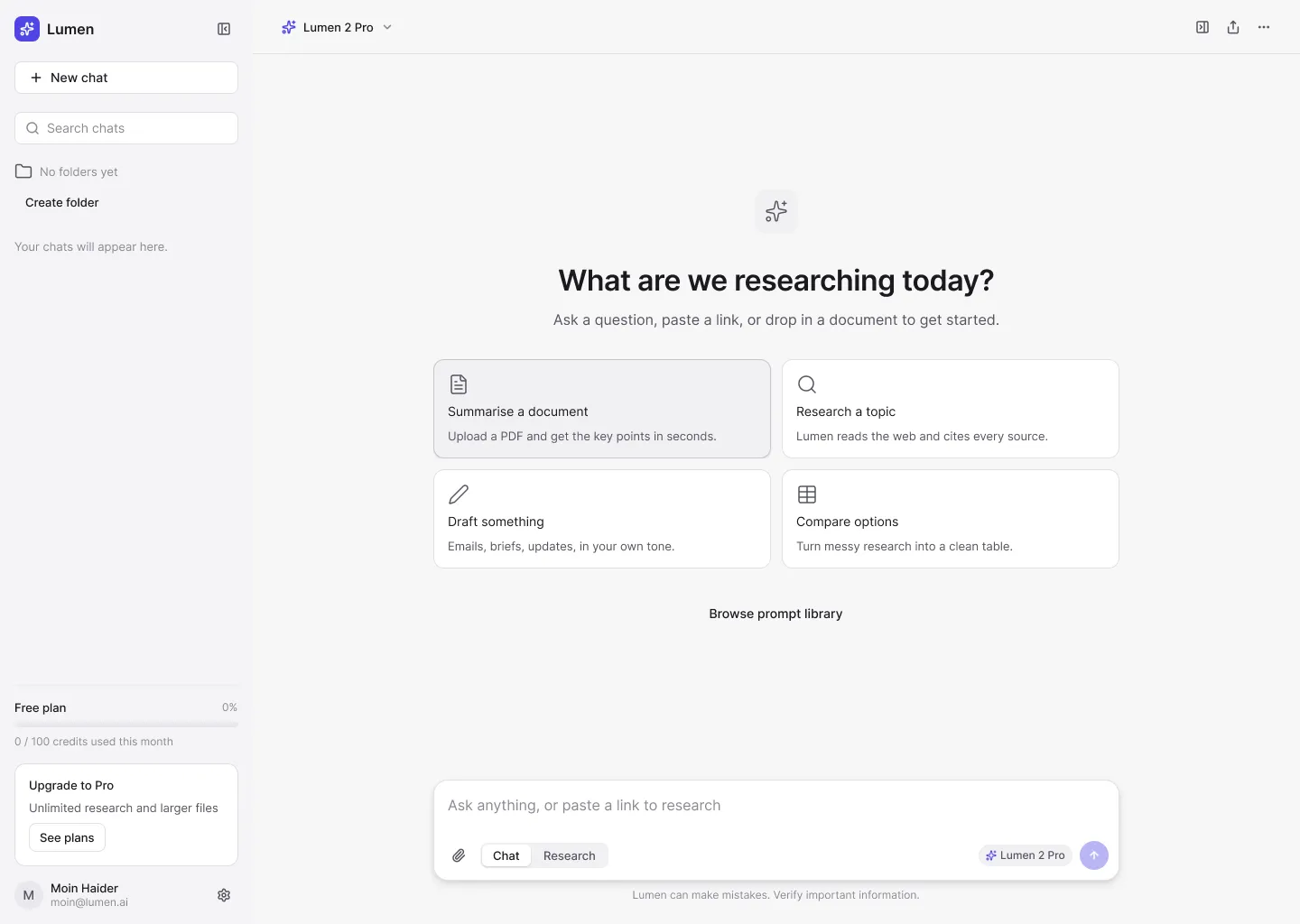
An AI writing and research assistant that cites its sources and keeps your work in one place.
/The problem
AI chat tools got good at answering. They stayed bad at being a place to work. Answers come with no sources, good work disappears in an endless list of chats, and a quick question looks the same as a real research project.
/My approach
I designed around two people who are accountable for what they produce: a product researcher who needs answers she can check, and a founder who writes a lot and reuses what works. That led to four rules for every screen: earn trust by default, separate a question from a project, never lose the work, and stay calm.
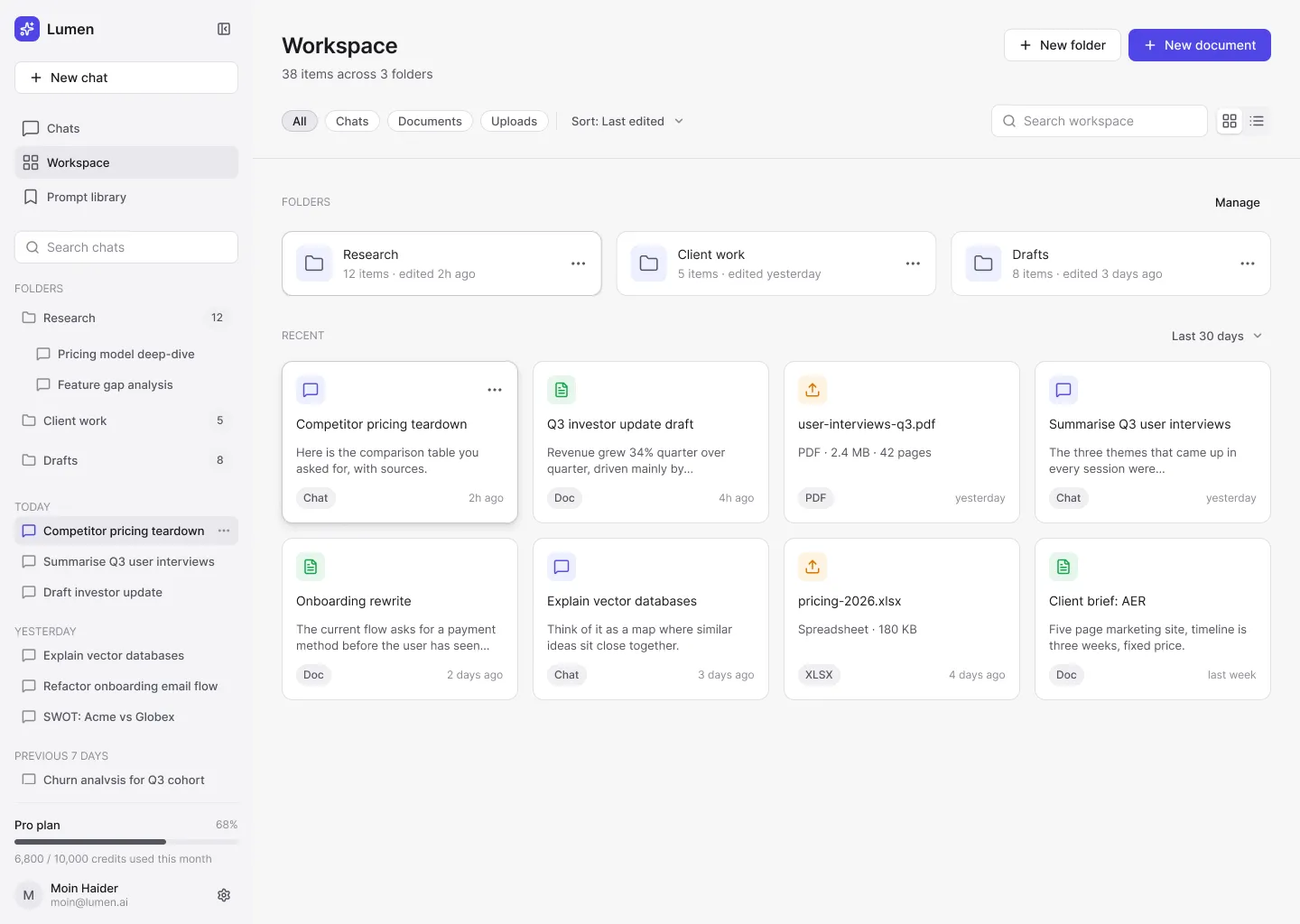
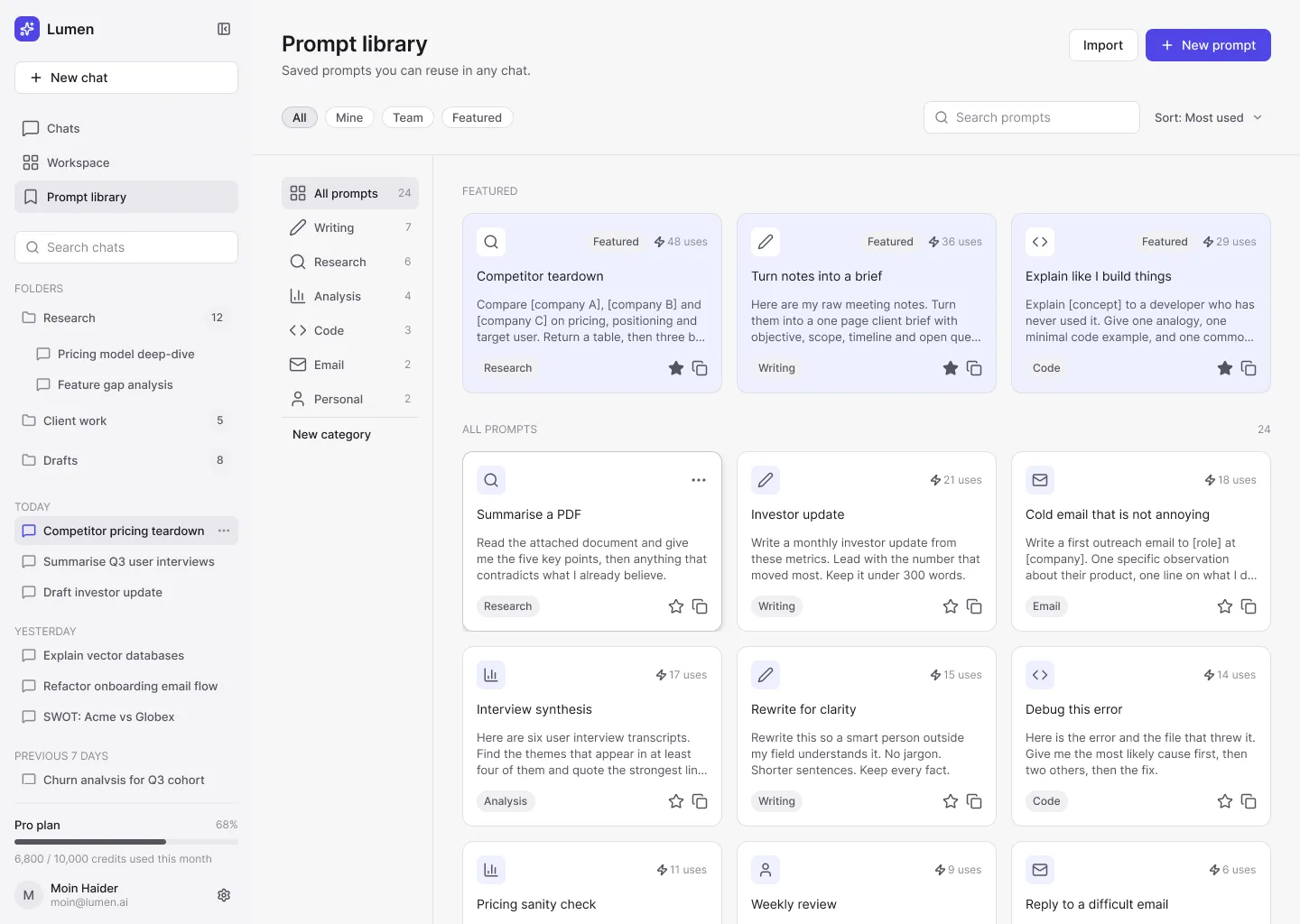
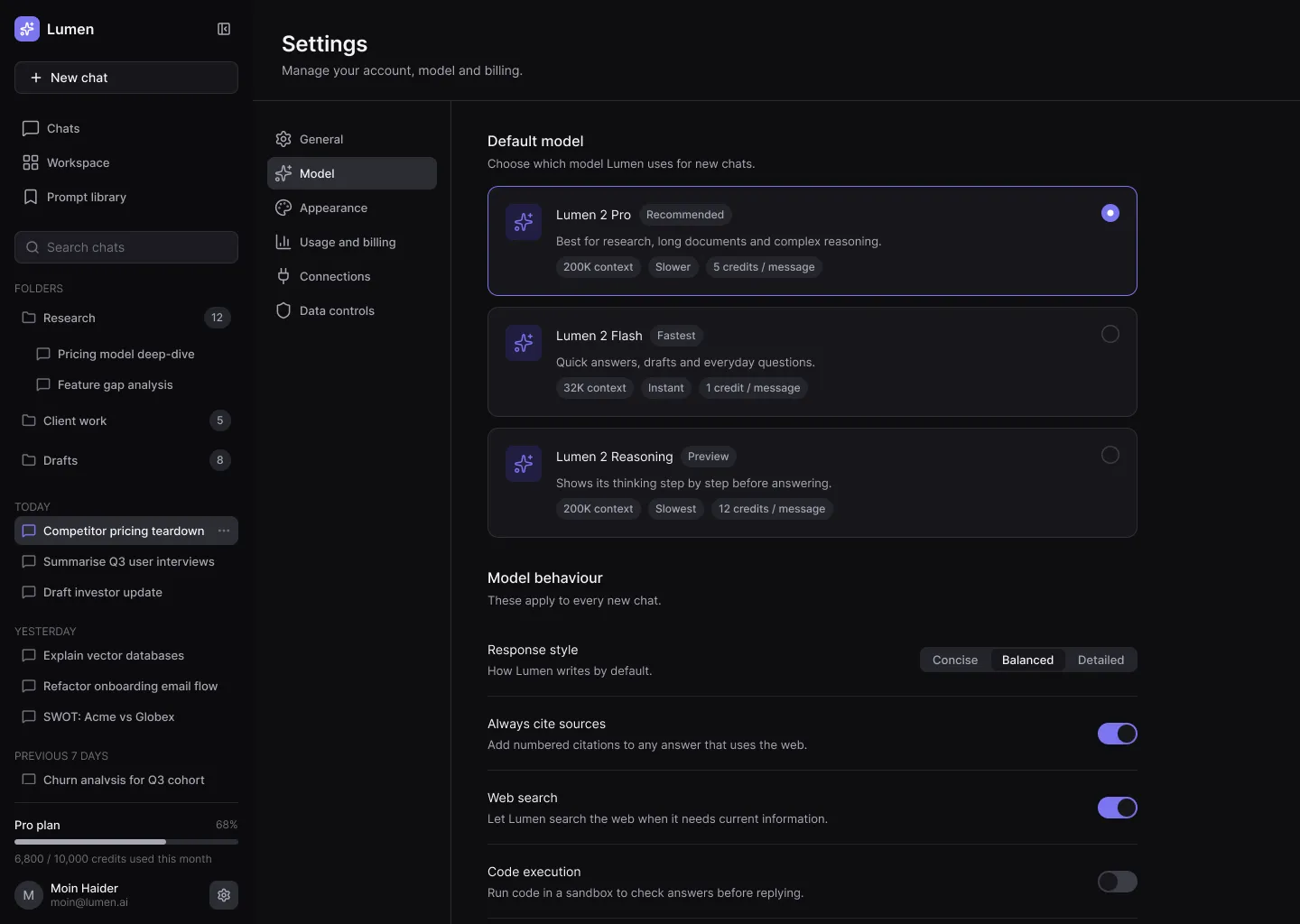
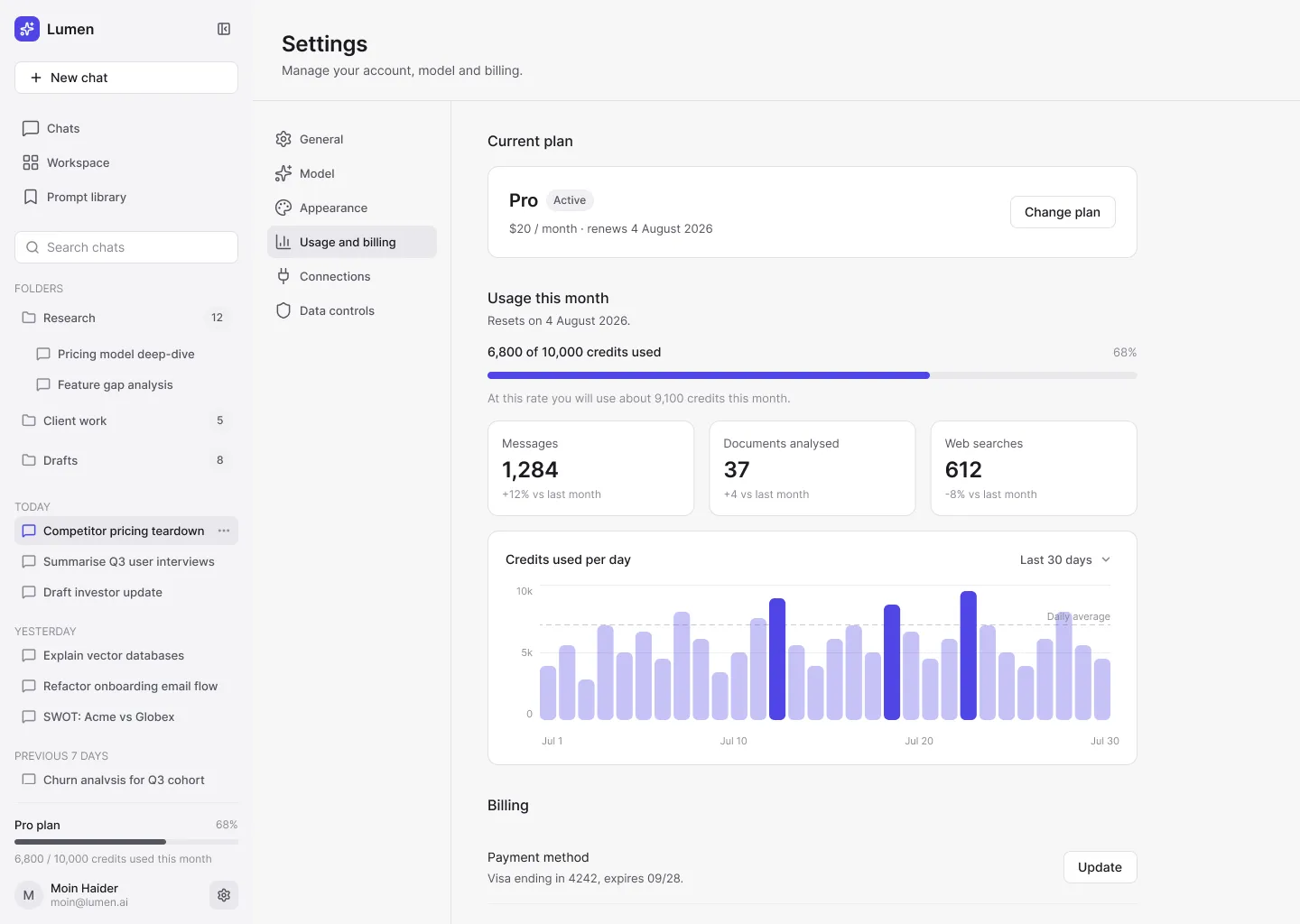
The structure follows those rules. Chats, documents and uploads live together in a Workspace with folders. A prompt library keeps the prompts people retype every day. Settings cover model choice, usage and billing, connections and data controls.
Each screen has one accent element: the send button is the only accent-filled control, so the next step is never in doubt.
/Who uses it
Sara · product researcher
“Can I trust this answer enough to share it?”
Bilal · founder who writes a lot
“Why do I retype the same prompts every day?”
/Key decisions
Two modes in one composer. It sets expectations, decides when Lumen searches the web, and keeps a quick question from feeling as heavy as a real project.
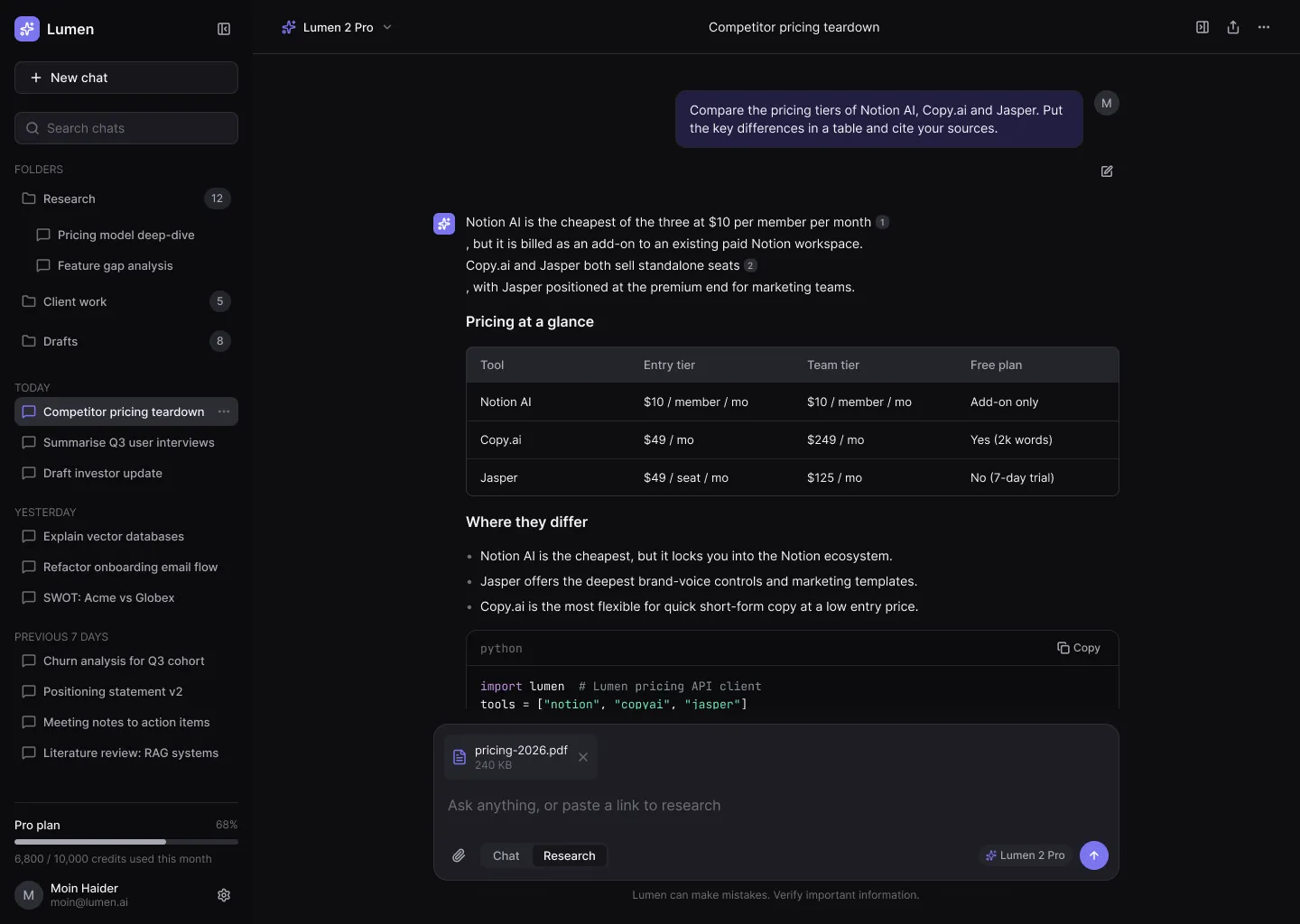
Citations sit inline, with a sources panel one click away. Checking a claim feels built in, not bolted on, because trust is the whole job.
Chats, documents and uploads live together in a Workspace with folders, instead of one endless scroll of old chats.
/Screens
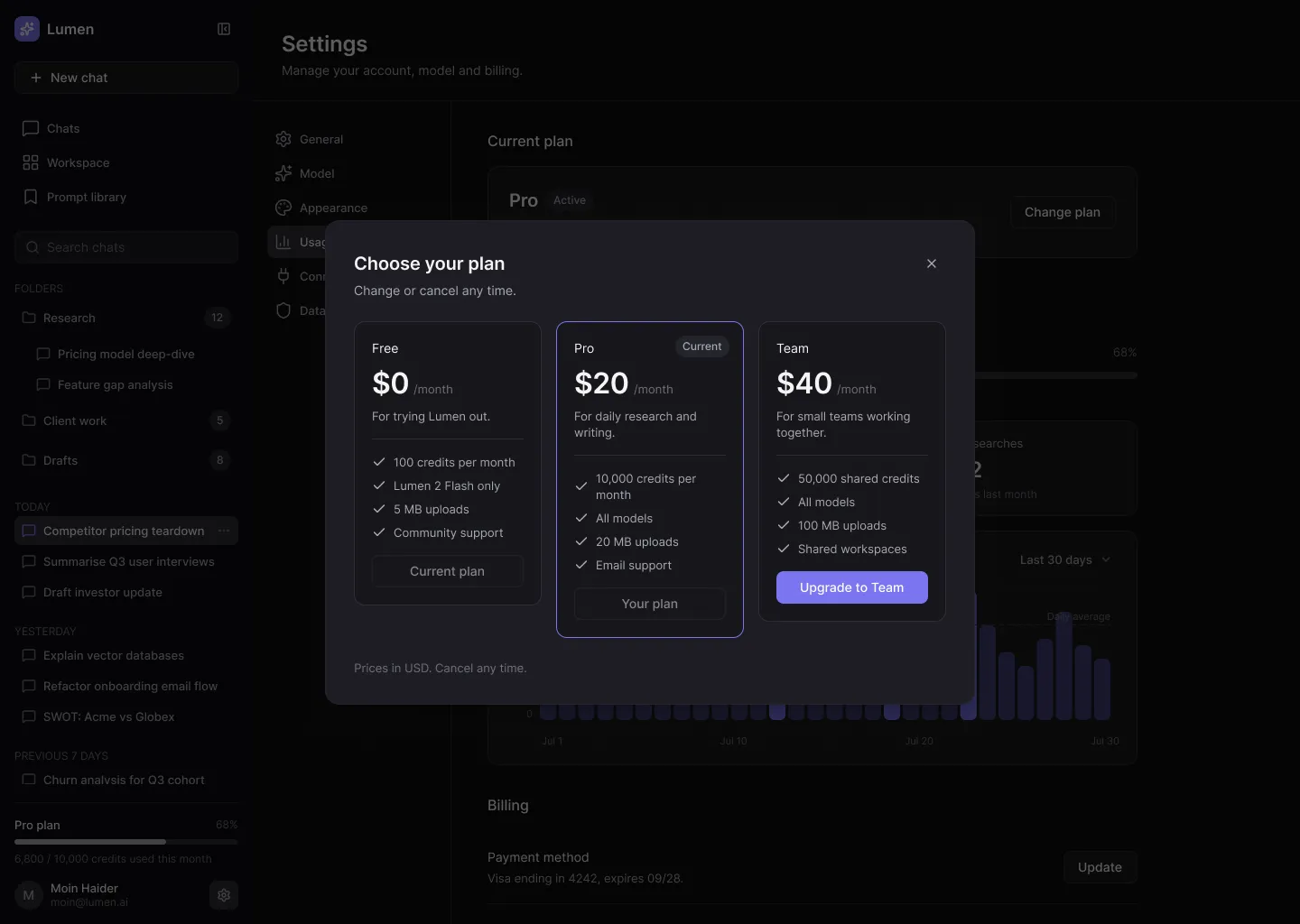
Prompt library, model settings, usage and billing, and the upgrade flow. 14 screens, each in Light and Dark.
/Design system
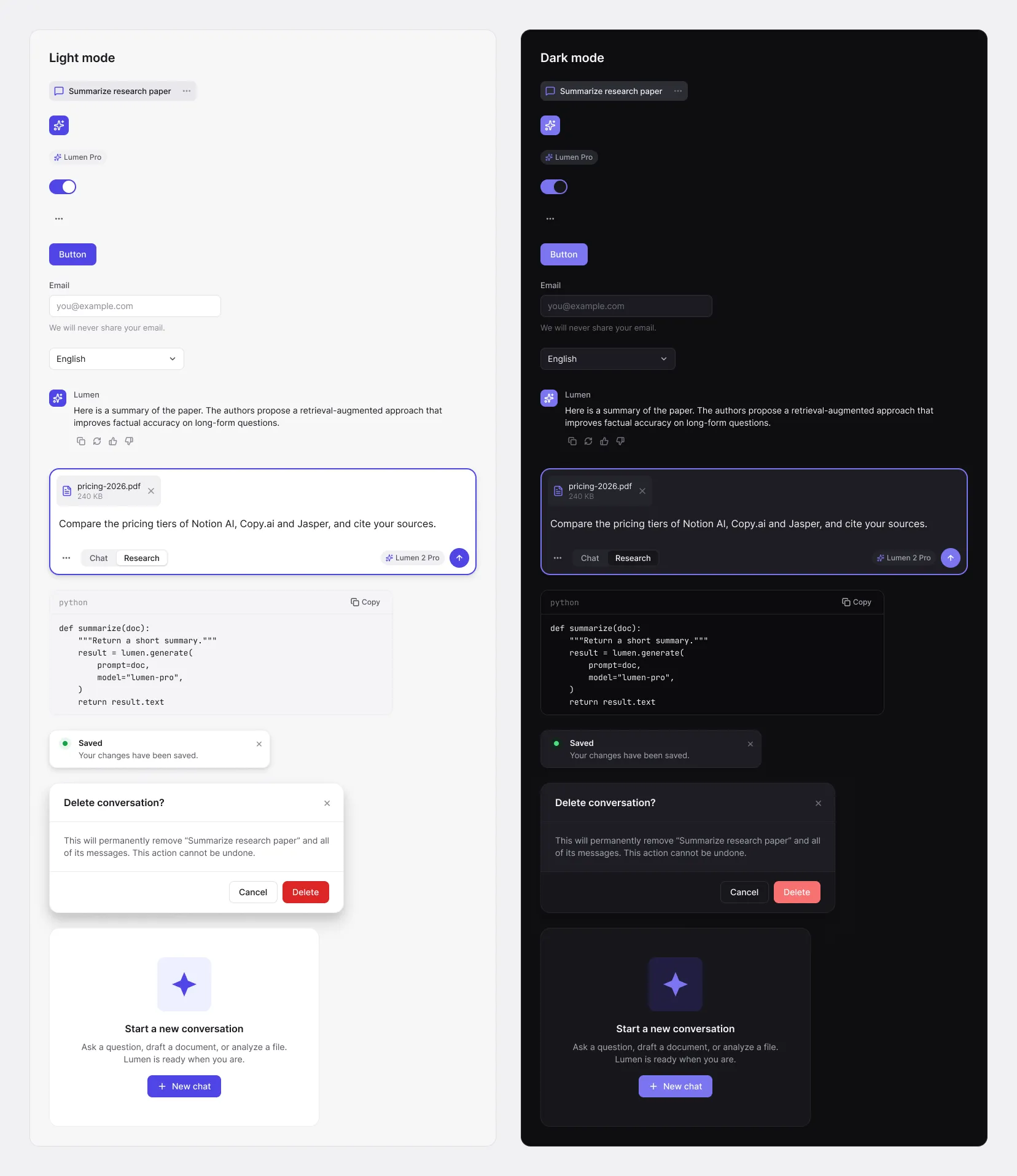
63 tokens across Light and Dark, 11 text styles in Inter and JetBrains Mono, 49 components and 18 icons.
/What I'd do next
Lumen AI is a concept, so it hasn't been tested with real teams yet. Next come mobile layouts, shared team workspaces and real-time collaboration on documents, once the single-user product feels solid.
Need a product like this? See SaaS Dashboard Design
Tell me what you're building. I'll tell you honestly if I'm the right fit.
Your time: —My time (Pakistan): —I reply within 24 hours on weekdays.