01
Give every % change a reference
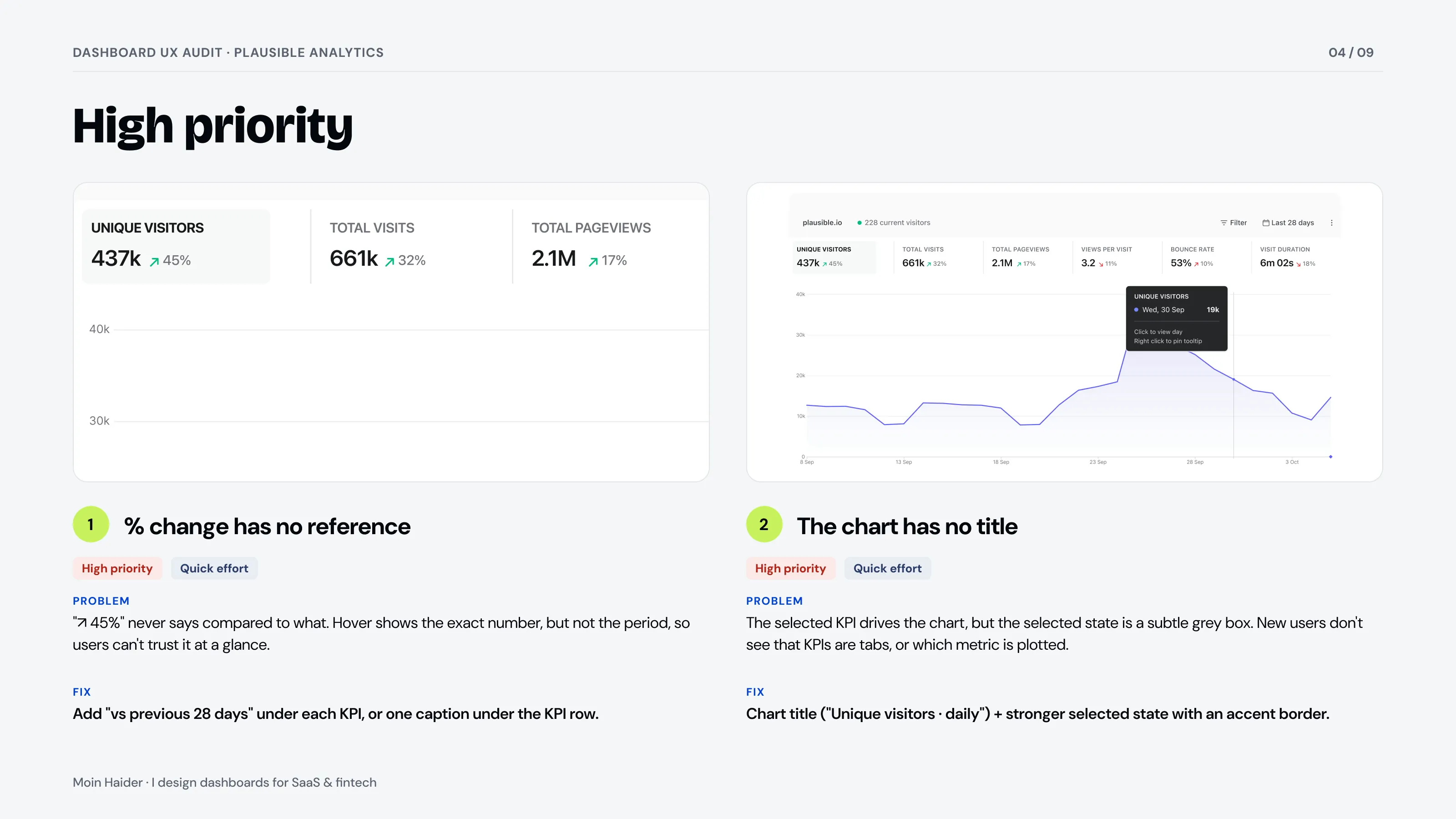
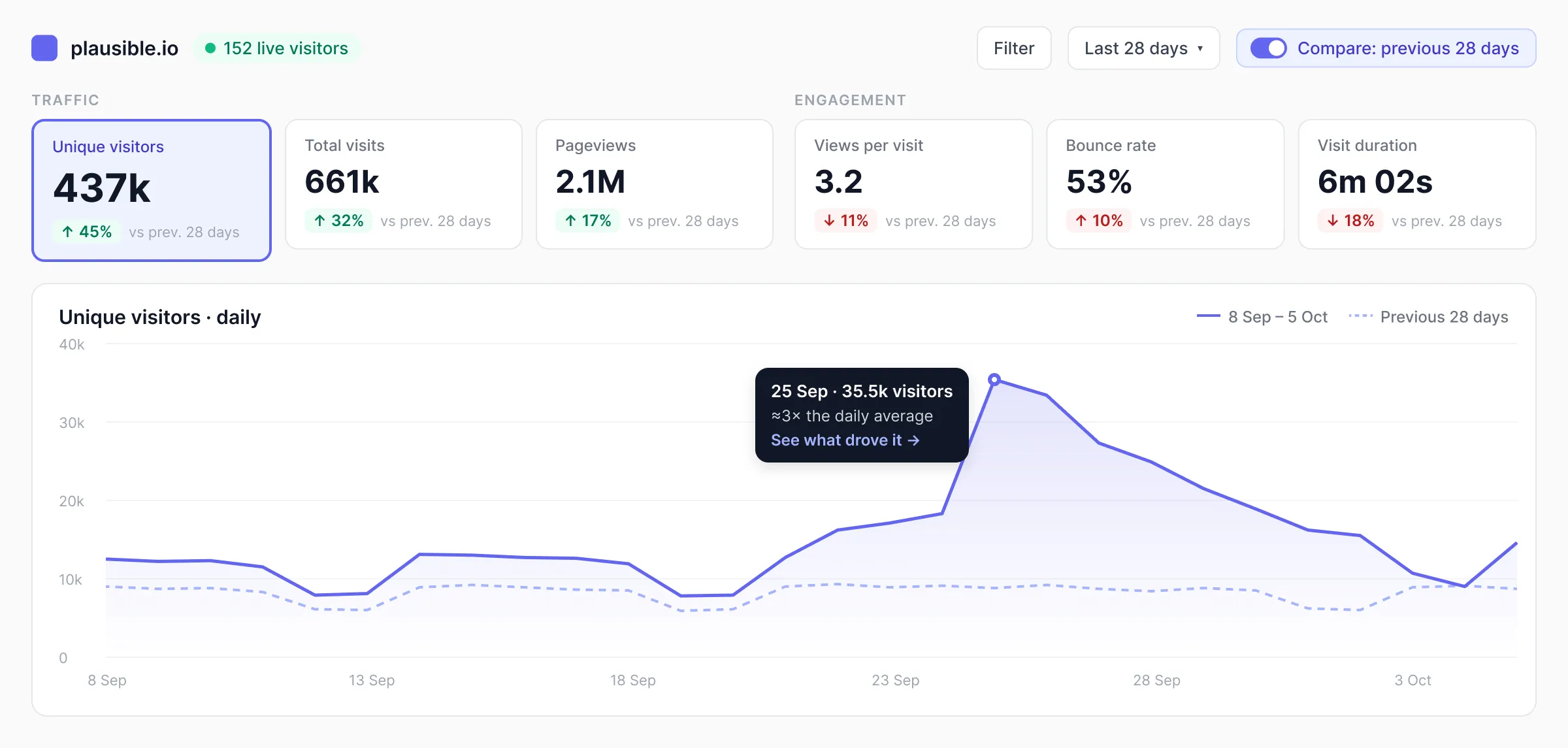
"+45%" means nothing without "vs previous 28 days". Add the period to every KPI, plus a chart title and a clear selected state.
A sample UX audit of Plausible's public analytics dashboard: what works, 10 issues ranked by priority and effort, and the key screen redesigned.
/What I found
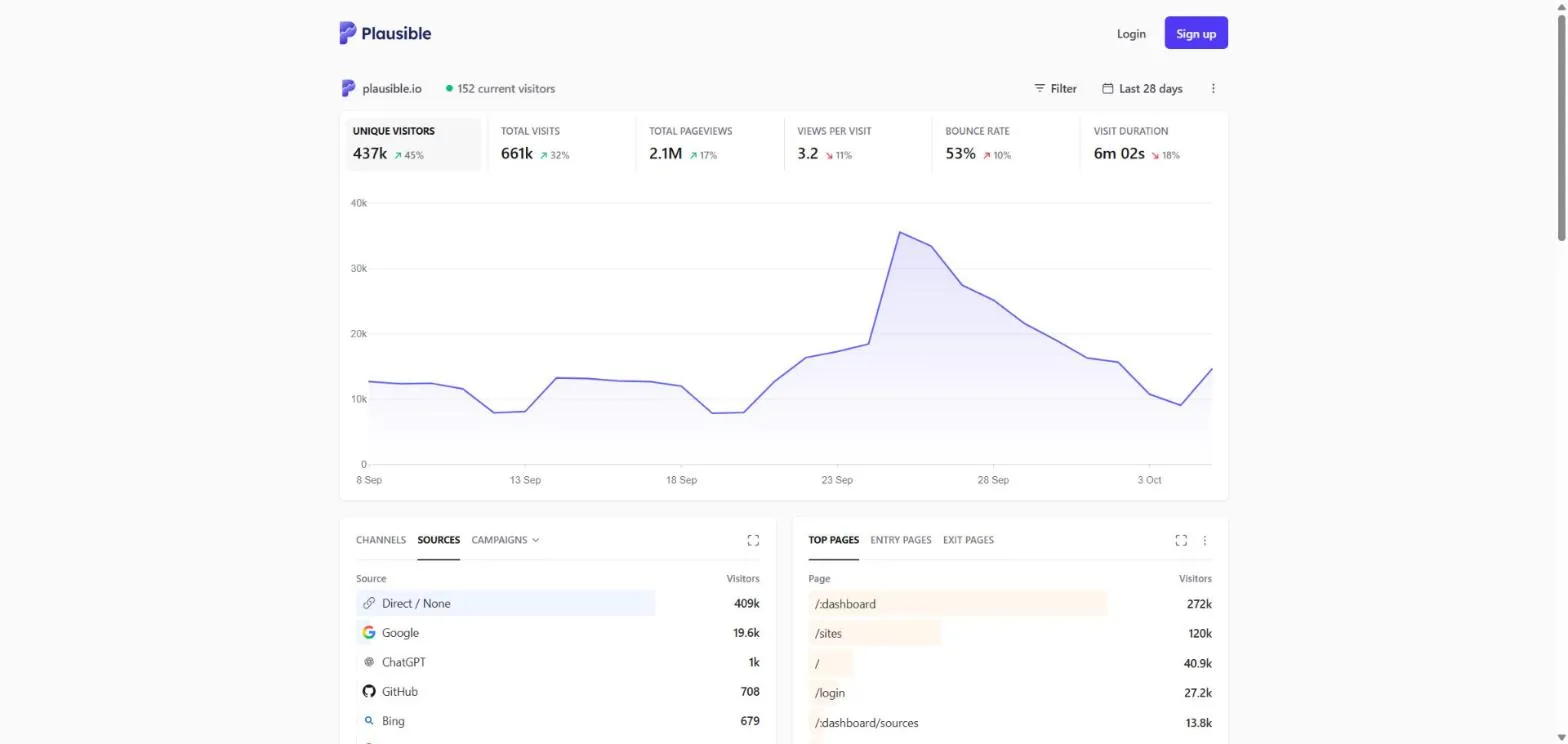
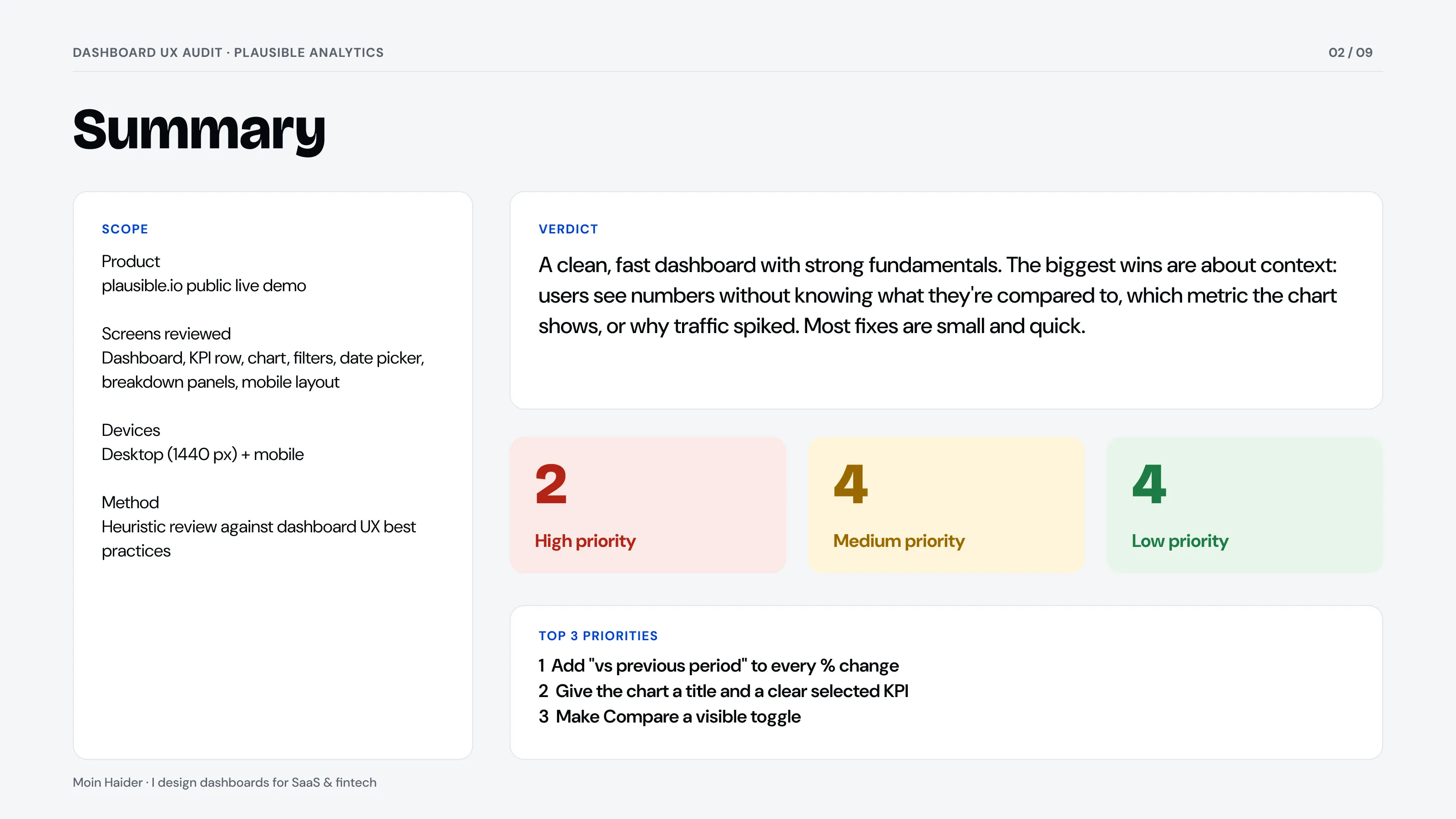
Plausible's dashboard is clean and fast, and its KPIs are coloured by meaning, not direction. But the numbers lack context: "↗ 45%" never says compared to what, the chart has no title, and Compare, one of the most useful views, is hidden at the bottom of the date menu.
/How I reviewed it
On 6 October 2026 I went through Plausible's public live demo on desktop and mobile, read-only, the same way I review a client's product. For each screen I asked one question: what does a busy founder need to know here, and how fast can they find it?
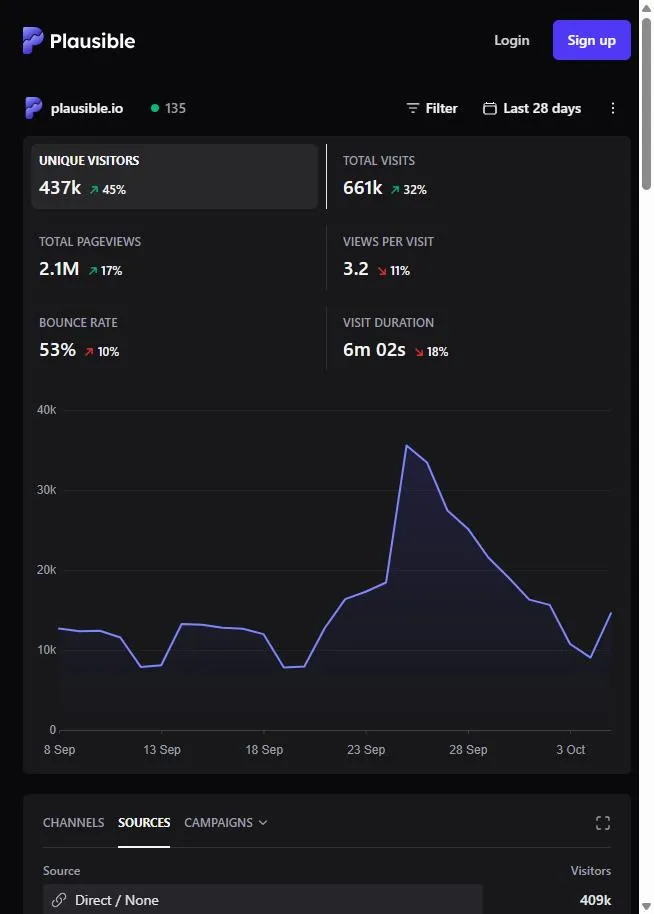
I started with what works, because a redesign should keep it: KPIs coloured by meaning, a well-grouped filter menu, helpful chart tooltips, inline bars in every list, and a layout that reflows to two columns on mobile.
Then I ranked 10 issues by priority and effort, and redesigned the top of the dashboard, where most of them meet.
/What already works
/Top fixes
"+45%" means nothing without "vs previous 28 days". Add the period to every KPI, plus a chart title and a clear selected state.
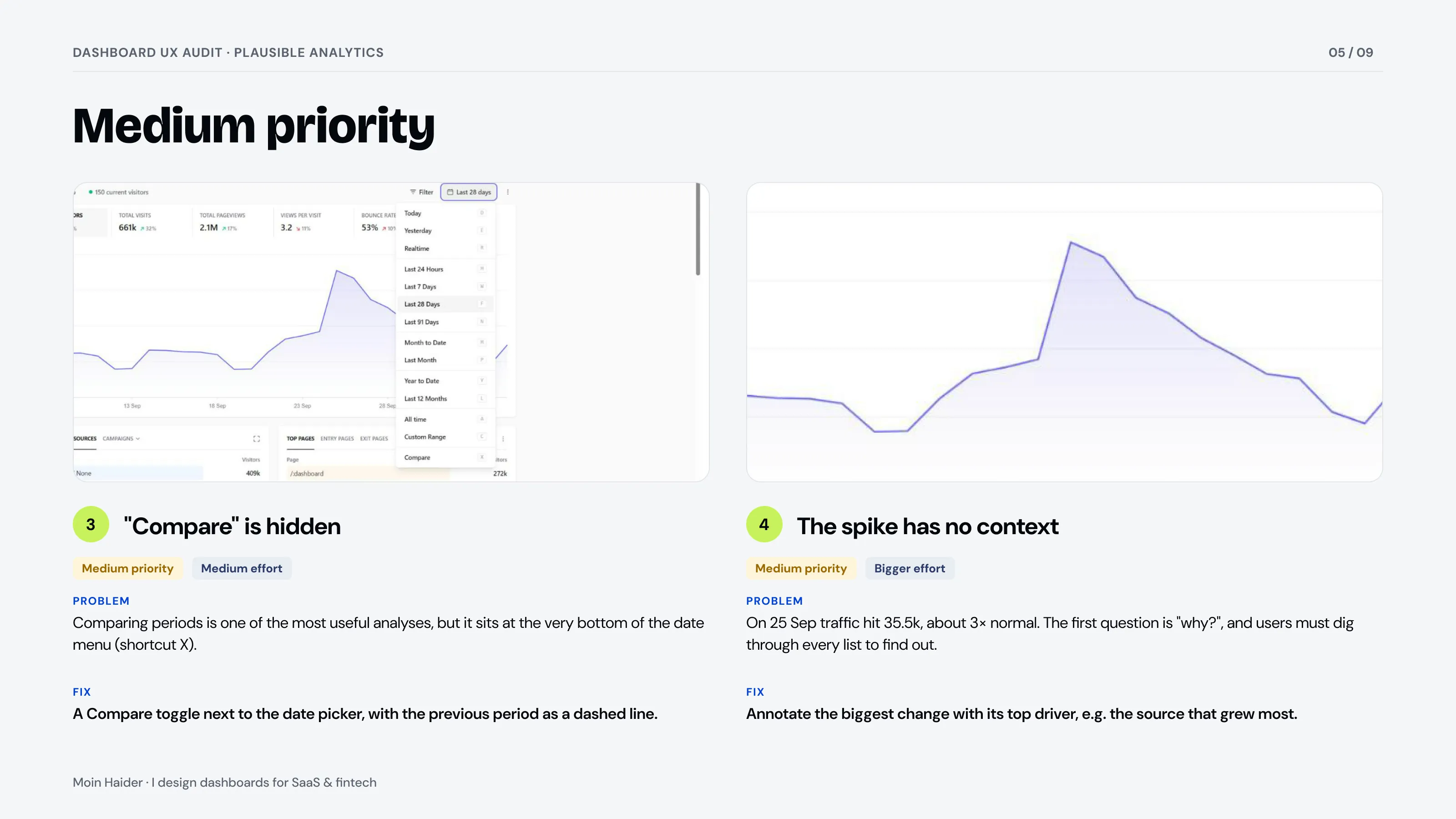
Comparing periods is one of the most useful views, so it moves out of the menu into a toggle next to the date picker, with the previous period as a dashed line.
Same data, clearer story: grouped KPIs with references, a titled chart, Compare on, and a note on the big spike explaining what drove it.
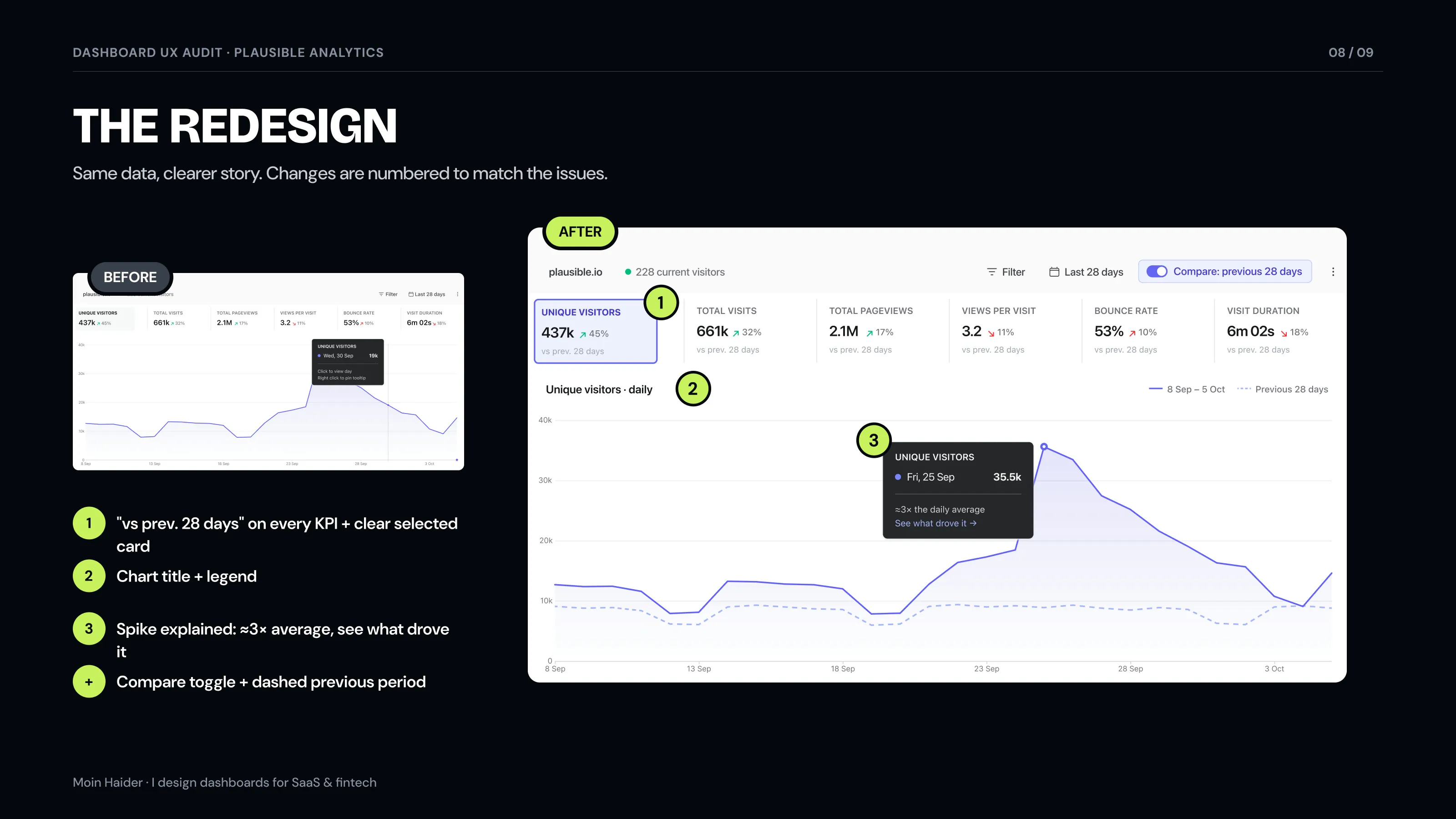
/Before and after
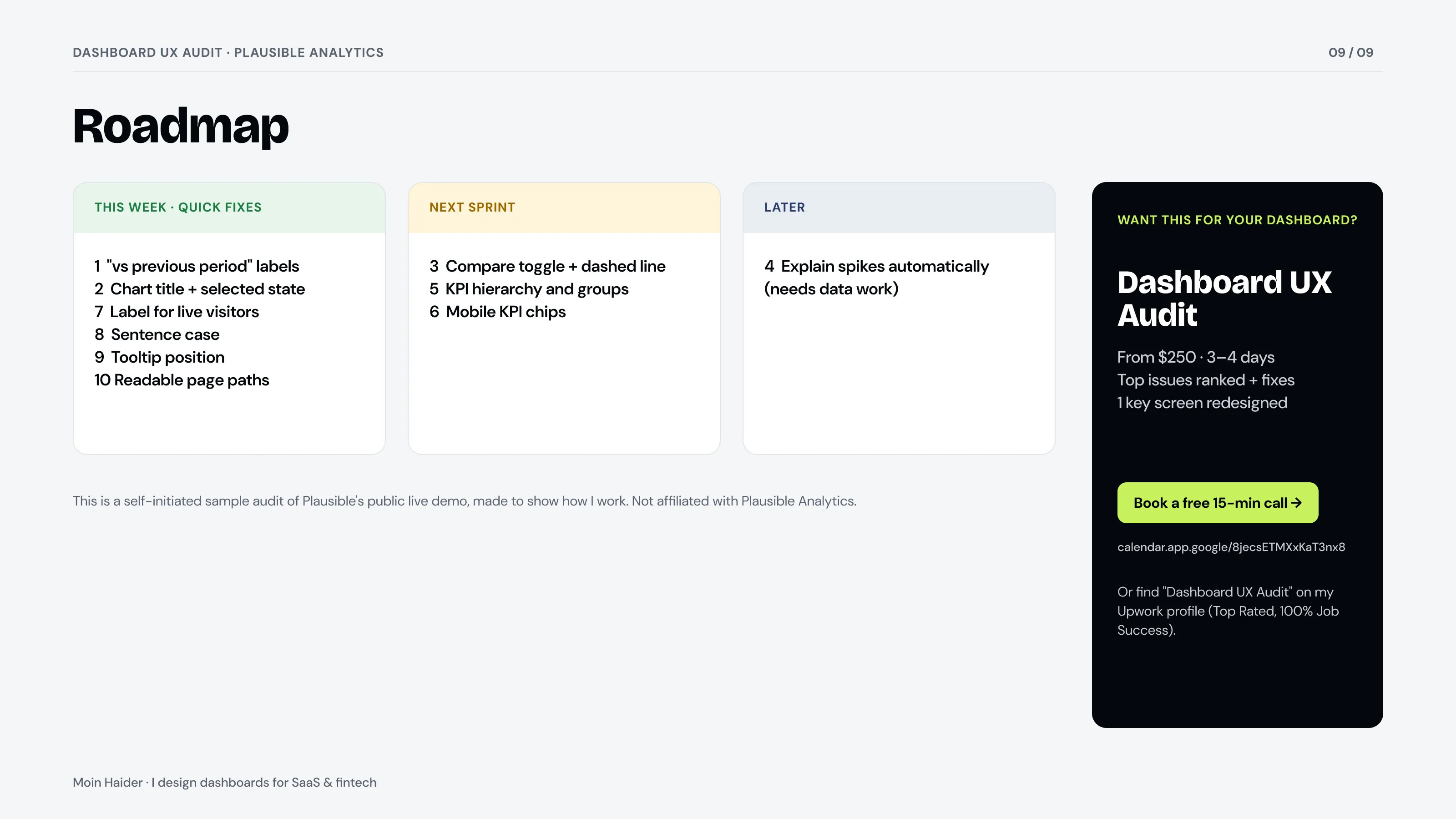
The top of the dashboard before and after, the mobile view, and the roadmap from the report.
/The report
9 pages: summary and scorecard, what works, 10 issues ranked by priority and effort, the redesign and a roadmap.
/Result
This is a self-initiated sample, so Plausible didn't ask for it. It shows exactly what you get in my $250 Dashboard UX Audit: issues ranked by priority and effort, quick fixes first, and one key screen redesigned.
Get an audit like this for your dashboard: Dashboard UX Audit, $250
/FAQ
$250 for up to 10 screens, delivered in 3–4 days, with one key screen redesigned in Figma.
No. It's a self-initiated sample based on Plausible's public live demo. Plausible didn't ask for it or review it.
Access to your product or a demo account, the main tasks your users come to do, and any problems you already know about. A 15-minute call is enough to start.
Tell me what you're building. I'll tell you honestly if I'm the right fit.
Your time: —My time (Pakistan): —I reply within 24 hours on weekdays.